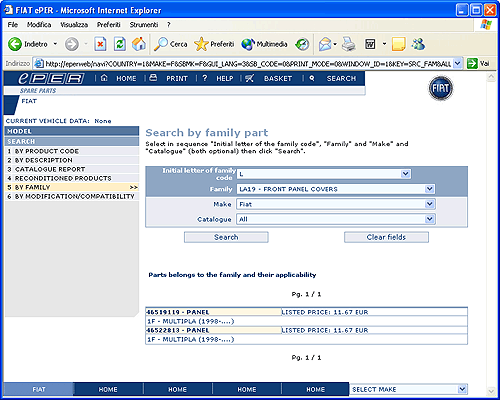
This page allows you to search for products based on the family
of spare parts to which they belong
To proceed:
•
Insert part of the description of a family in
the first text-box and press the “Update” button
next to the text-box. To display all families
relating to the motor, insert the word “motor”
•
Select
the Family for which you want to carry out the
search from the “Product Family” pull-down list
•
Optionally,
specify other parameters: Make, Catalogue. These
parameters will be used to limit the search to
applicable products
•
Click
the SEARCH button
If the search is successful the system shows a list of all
products in the selected family. If the list is very long
the first page of results will be displayed. Click on the
“next/previous” page selectors to see other pages.
For each product the description, listed price (if available)
and the list of the Catalogues in which the product is found
are displayed
By clicking on the product code it is possible to go to the
“Search by product code”
page (link) with the product code already place in the field