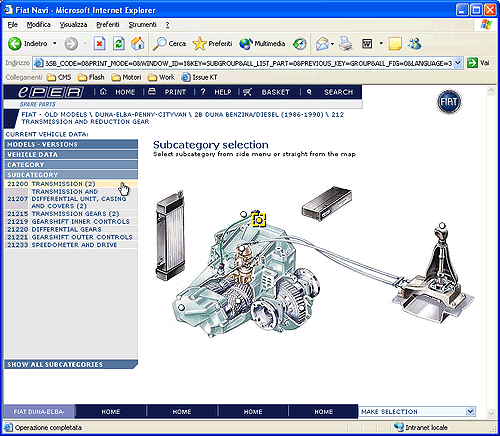
This page
allows the selection of one or more spare parts subcategories
after having selected the category
To proceed:
•
Select a specific subcategory of interest from
the menu on the left. Use this method when information
tables of a specific subcategory are required.
If for the selected subcategory (e.g.: 27402:
AXEL SHAFTS) there is only one valid variant
for the current vehicle data (e.g.: 27402/01),
the system immediately presents the first subcategory
table. Then see section
5.3.8
If for the selected subcategory (e.g.: 27402:
AXEL SHAFTS) there are several specific valid
variants for the current vehicle data (e.g.:
27402/00 and 27402/01), the system presents
a selection display of the particular variants
(see
section 5.3.7) containing the validity of
each of the variants (e.g.: 27402/00 valid for
M1 and 27402/01 valid for M2)
Or
•
•
Click on “Show all subcategories” (the last link
on the menu on the left). Use this method when
you want to display all of the tables of all of
the subcategories contained in the current category.