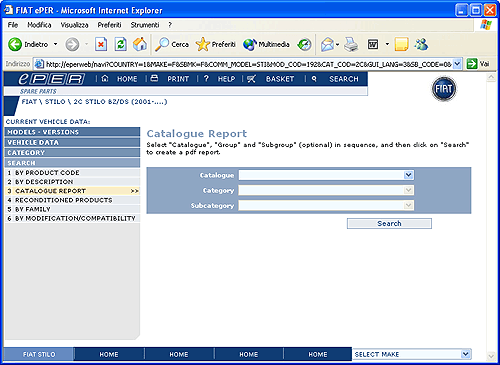
This page allows you to get a printable report, in pdf format,
of all of the drawings of a subcategory with related detailed
information of the products contained in it.
To proceed:
•
Select
a catalogue
•
Select
a category
•
Select
a subcategory
•
Click
on the Search button.
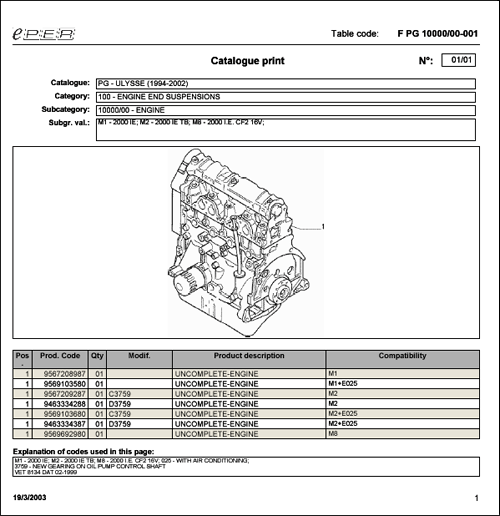
If the program “Adobe Acrobat” is installed correctly on the
PC it will load at this point in a new window the various
drawings of the subcategory (one for each page of the pdf
document) with the detailed product information.
To print the document click on the printer icon in the upper
part of the window.