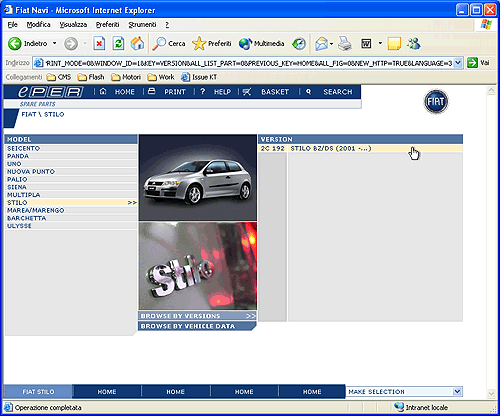
Following the selection of a model the list of catalogues
available is displayed in the menu on the right of the page.
To proceed:
o
Select
a catalogue from the menu on the right. In this
way a list of the main categories will be displayed
but, as specific details (e.g.: Version, Engine
Stamp, Production date, etc.) have not been given,
ePER will not be able
to subsequently check the compatibility of specific
products.
To proceed go to paragraph 5.3.4
or
o
Select
from the central menu at the bottom of the page
“Browse by vehicle data “. A page entitled “Specific
vehicle information” will then be displayed in
which you can input more information about the
vehicle. Regarding this see: paragraph 5.3.5